
Integration Guide
Connecting CompliNudge to Vanta
CompliNudge automatically syncs your team's SOC2 training completions to Vanta — no manual CSV exports, no screenshots. Once connected, completion records appear automatically as evidence under your Security Awareness Training requirement in Vanta.
Prerequisites
- An active CompliNudge account with admin access
- An active Vanta account with admin or integration permissions
Setup steps
- 1
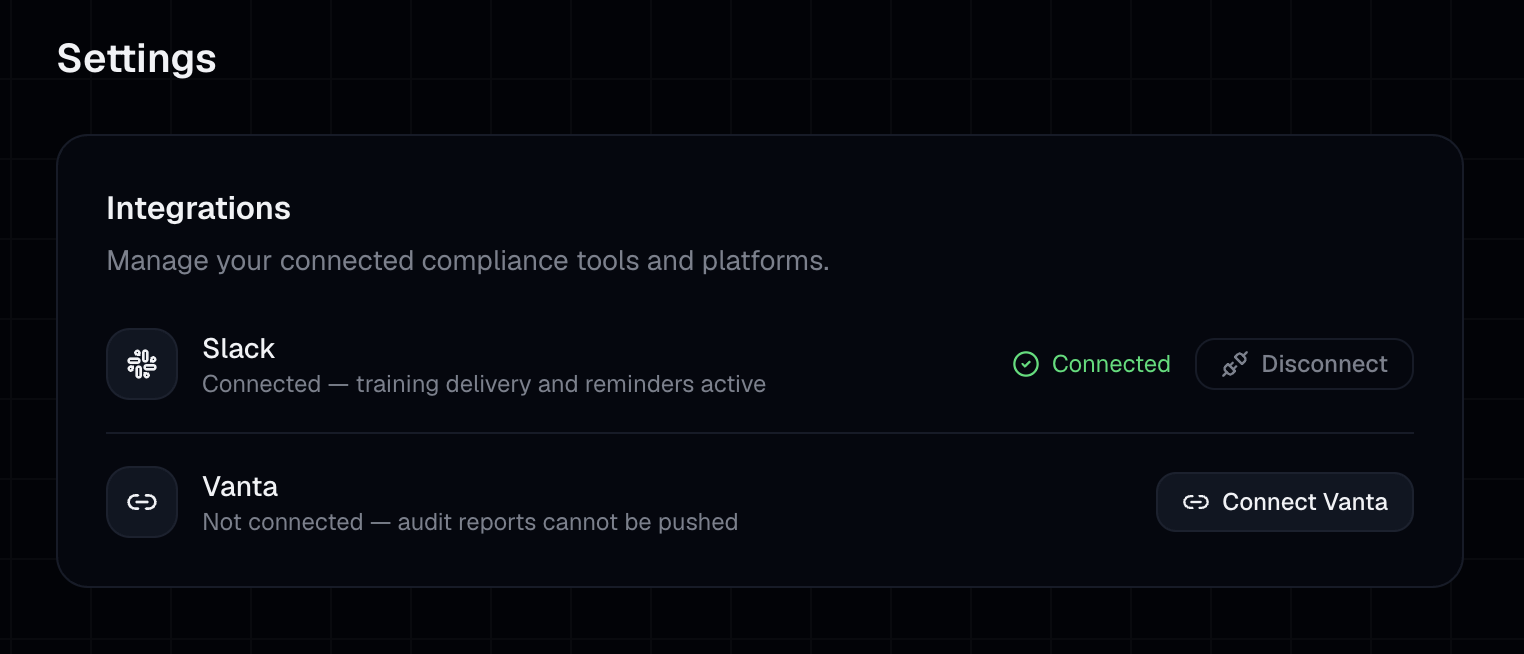
Go to your CompliNudge dashboard and click Settings in the top navigation.
- 2
Under Integrations, click "Connect Vanta".
- 3
You'll be redirected to Vanta to authorize the connection.
- 4
Approve the requested permissions.
- 5
You'll be redirected back to CompliNudge — you should see "Vanta Connected ✓" in the Integrations section.
- 6
Your training report will be pushed to Vanta automatically on the next scheduled sync. For an immediate upload, click Push to Vanta in Settings.
What syncs
- Employee training completion status
- Completion timestamps
- Module names
Troubleshooting
- Connection shows disconnected
- Try reconnecting via Settings > Integrations. If the issue persists, contact support.
- Completions not appearing in Vanta
- Sync can take up to a few minutes. You can also trigger an immediate push from the Settings page using "Push to Vanta". Contact support if the issue persists.
Questions? hello@complinudge.com